Integrations
Connect Meta & Google
Link ad accounts so Steerport can read performance and steer spend.
Why connect
Connecting Meta and Google turns Steerport from a creative tool into a true command deck. Once an account is linked, real spend, conversions, and revenue flow into your analytics, and the Ad Machine can act on what's working.
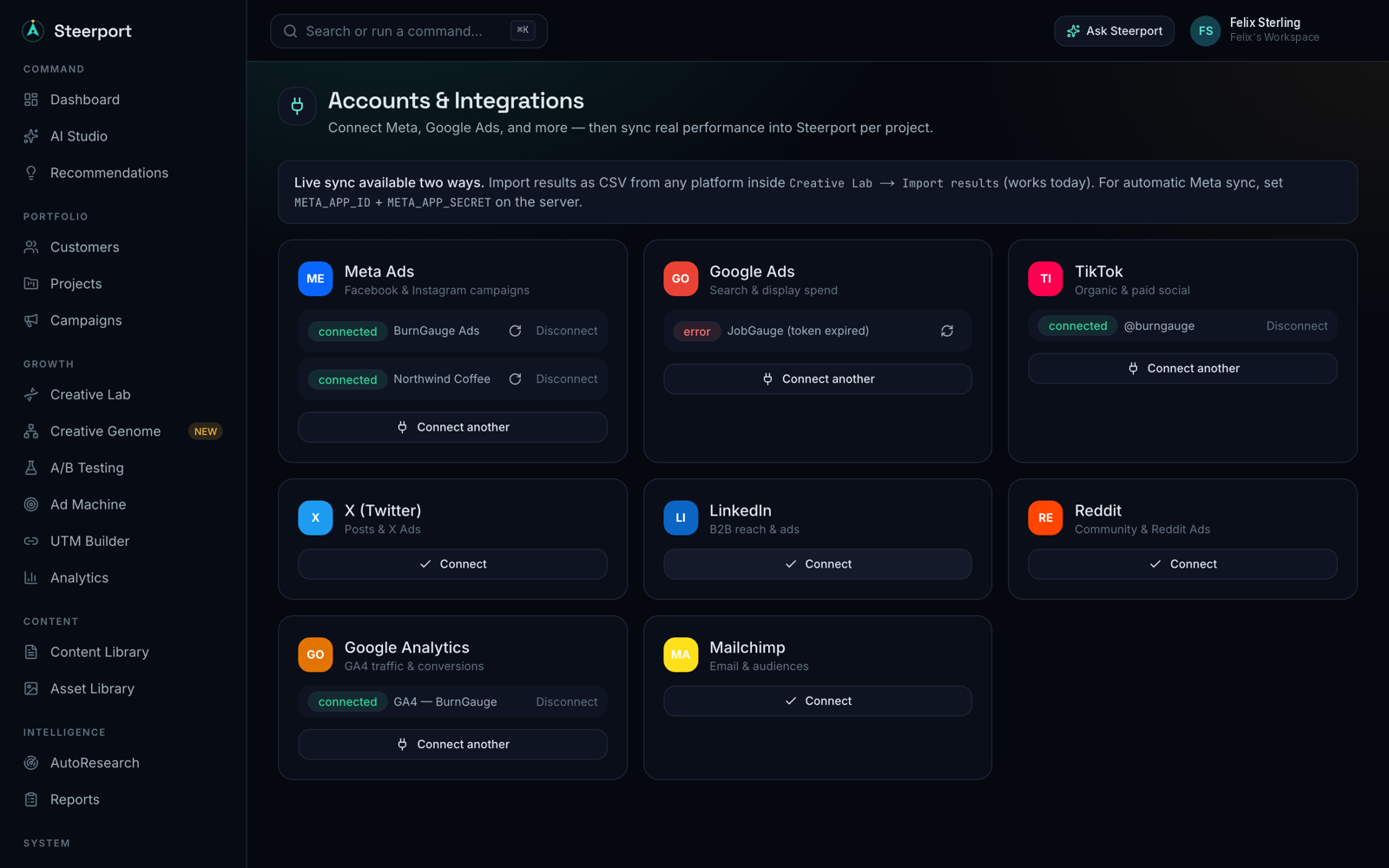
Connect an account
Open Integrations from the command center. You'll see a card for each provider. Connecting is per project, so pick the project the account belongs to before you link — this keeps performance attributed to the right brand and property.
- Meta — start the connect flow on the Meta card. You'll authorize Steerport through Meta's OAuth screen and pick the ad account to link. The authorization returns to Steerport and the integration shows as connected, with the account name attached.
- Google Ads — connect from the Google card and authorize access to the ad account you want to sync.
What Steerport asks for
Steerport requests read access to performance data (spend, impressions, clicks, conversions, revenue) and, for the Ad Machine, the ability to make budget moves on accounts you've connected. You stay in control of which accounts are linked and can disconnect any of them from the Integrations page.
After connecting
- Confirm data is landing: see Sync spend & revenue.
- Keep attribution clean on every link you ship with the UTM builder.
Note: Live Meta and Google sync is available on the Pro and Agency plans. On Free you can still import performance manually — see Plans & billing.