Features
Autonomous agents
Research, recommendations, content, sync, and reports running on a schedule inside your guardrails.
Agents hold the wheel
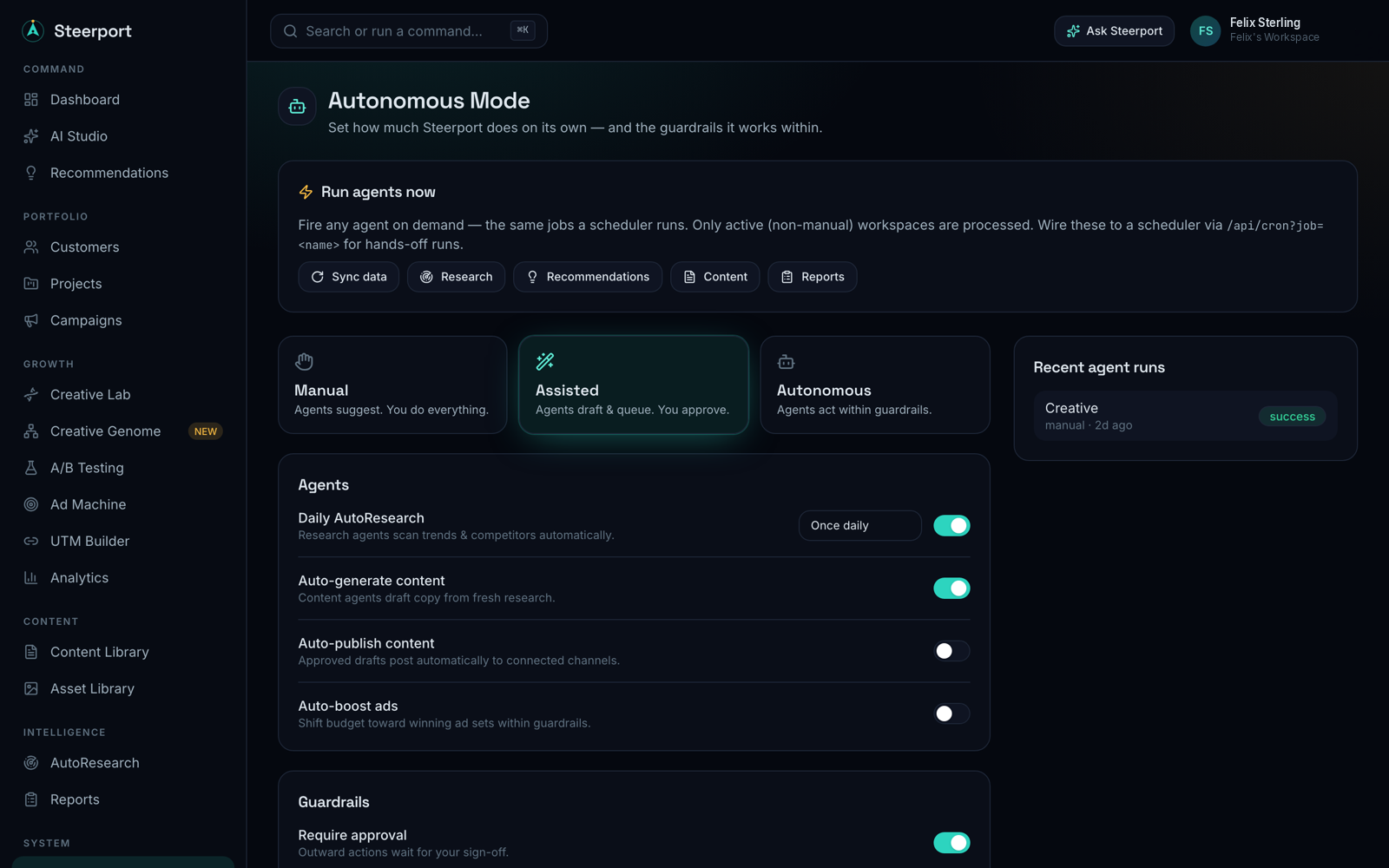
Steerport's autonomous agents run the repetitive, every-day work for you — on a schedule, across every client, inside the guardrails you set. You decide how much autonomy to grant; the agents do the legwork and log every run so nothing happens off the record.
What the agents do
- AutoResearch — scans trends, competitors, and high-ROI angles across your clients every day, so you start from signal instead of a blank page.
- Recommendations — turns that research and your performance data into concrete next moves.
- Content — drafts on-brand creative and copy grounded in each brand's memory and the Creative Genome.
- Sync — refreshes connected Meta and Google accounts so your numbers stay current. See Sync spend & revenue.
- Reports — assembles performance reports on a cadence. See Analytics & reports.
Setting guardrails
Open Autonomous from the command center to configure automation settings per workspace. This is where you choose which agents run, how often, and how much they're allowed to do on their own versus queueing a suggestion for your approval. Tighten the guardrails for hands-on control, loosen them once you trust the output.
Run them on demand
You don't have to wait for the schedule. Open any project and the same agents are available as one-click actions:
- Research — runs a fresh pass for that project. It grounds the research in the project's live site (not just its name), so the findings reflect what you're actually marketing.
- Recommend — generates concrete next moves from the latest research and performance.
- Generate copy — drafts on-brand ad copy you can take into the Creative Lab or AI Studio.
These are the same engines the scheduled agents use — handy when you want signal right now rather than at the next run.
Scheduling
Agents run on schedules behind the scenes — daily research and sync, periodic recommendations and content, weekly reports — so the command deck is always up to date when you open it. Every run is recorded so you can audit what each agent did and why.
Note: Autonomous agents and AutoResearch are available on the Pro and Agency plans. See Plans & billing.